Revit is one of the most powerful BIM platforms available today, enabling project teams to manage large amounts of design, construction, and operational data within a single model. However, many users experience issues such as slow model performance, long file opening times, and delays during synchronization.
What is often overlooked is that these problems are not always caused by the size of the project itself. In many cases, a relatively small model can perform worse than a much larger one if it contains excessive data or has not been properly optimized and maintained.
So, what are the hidden factors that gradually reduce the performance of a Revit model?

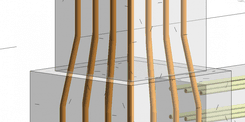
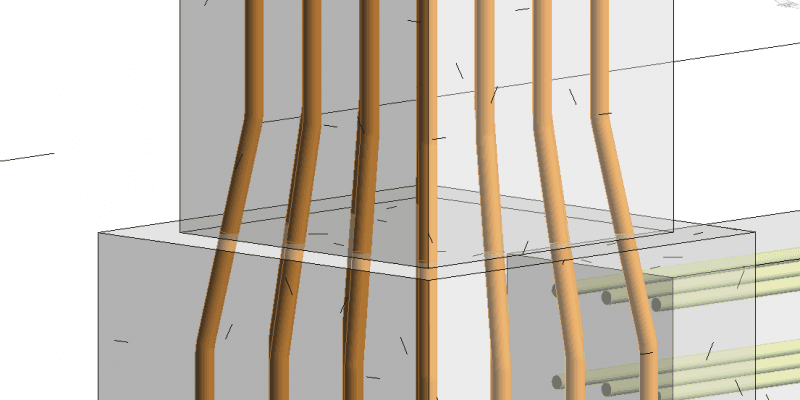
Many elements are modeled with an extremely high level of detail even though they do not directly contribute to design development or construction documentation. As a result, the amount of geometry increases significantly, forcing Revit to process more data than necessary.
Applying the same level of detail across all views can also impact model performance. Instead of using appropriate Level of Detail (LOD) settings, many projects maintain highly detailed visual representations throughout the entire model, increasing the computational load on Revit.
When DWG files are imported into Revit, users may unintentionally bring in thousands of layers, blocks, and unnecessary objects. These hidden elements remain embedded within the project and gradually increase the model size.
Groups can be a useful tool for repetitive design elements. However, excessive use or poor management of groups can increase model complexity and negatively affect overall performance.
Coordination views, review views, and temporary working views are often created throughout the project lifecycle. Even when they are no longer needed, they frequently remain in the model and continue consuming system resources.
Many projects retain old sheets, revision histories, and obsolete documentation sets that are no longer relevant. Over time, this accumulated information contributes to larger file sizes and reduced performance.
Some families are created with an unnecessarily high level of detail, particularly furniture, equipment, and components downloaded from external libraries. These families can significantly increase model size and slow down project performance.
Families that contain multiple levels of nested components or a large number of parametric controls require additional processing power. This can noticeably increase loading times and slow down model updates within Revit.
When multiple team members work on the same project, creating new materials instead of using a standardized material library can easily lead to duplicate data. Over time, this increases project complexity and contributes to larger file sizes.
High-resolution images used for rendering materials can significantly increase model size, even when they are not required for day-to-day project work.
As the number of phases or design options increases, Revit must process additional visibility conditions and associated data, which can impact model performance.
Linking multiple architectural, structural, and MEP models into a single project can significantly reduce performance if not managed properly through a clear coordination strategy.
Structural and energy analytical models may contain large amounts of data that are not immediately visible during everyday project work, yet still consume system resources.
Settings and information created for building performance analysis can remain embedded in the project file even after they are no longer needed.
Creating an excessive number of worksets can make a project more difficult to manage while increasing the amount of data that must be synchronized among team members.
When a model is used over a long period, historical project data can accumulate within the central file, affecting overall performance and slowing down collaboration workflows.
Unused families, materials, views, and object styles continue to occupy space within the project file, even if they no longer serve any purpose.
Without regular auditing and optimization, unnecessary data gradually accumulates within the model. Over time, this "data clutter" can significantly reduce Revit's performance and overall project efficiency.
In addition to optimizing Revit files directly, organizations can also reduce the workload on the original model by leveraging VinaBIM.
The platform enables users to view 3D models, access object information, perform measurements, and collaborate on BIM data without opening Revit.
This allows project stakeholders to access information more quickly while minimizing the need for multiple users to open large RVT files simply for review, coordination, or data exchange purposes.

Learn more: VinaBIM – View & Perform Basic Editing on Revit Files
A large Revit file does not necessarily mean a large project. In many cases, performance issues stem from how the model is created, managed, and maintained throughout the project lifecycle.
Controlling the level of detail, optimizing families, managing linked models effectively, and performing regular maintenance can help keep the model stable, reduce processing time, and improve coordination across disciplines.
At BIMCAD Vietnam, we support project teams in establishing standardized BIM workflows from the very beginning. A well-organized, regularly optimized model not only improves productivity but also provides a solid foundation for the entire design, construction, and facility management process.