In today’s BIM projects, Autodesk Revit files are often considered the “central data hub” of the entire design. However, accessing and editing these files is typically limited to BIM engineers or users with advanced expertise in specialized software.
In reality, project execution requires much broader accessibility. Stakeholders such as project managers, site engineers, and even clients need the ability to quickly access and view models, check clashes between disciplines, perform basic edits when necessary, and manage model links within the project. Relying entirely on native software not only slows down collaboration but also creates barriers to effectively sharing and utilizing BIM data.
That is exactly the challenge VinaBIM aims to solve: It provides a solution that allows users to view, inspect, and directly interact with Revit files in a simple, fast, and more practical way for real-world project needs.

VinaBIM is a solution that enables users to view and perform basic edits directly on Autodesk Revit files without fully relying on specialized design software.
Unlike BIM authoring tools that focus on model creation, VinaBIM is designed to address practical project needs: quick access – checking – editing – collaboration

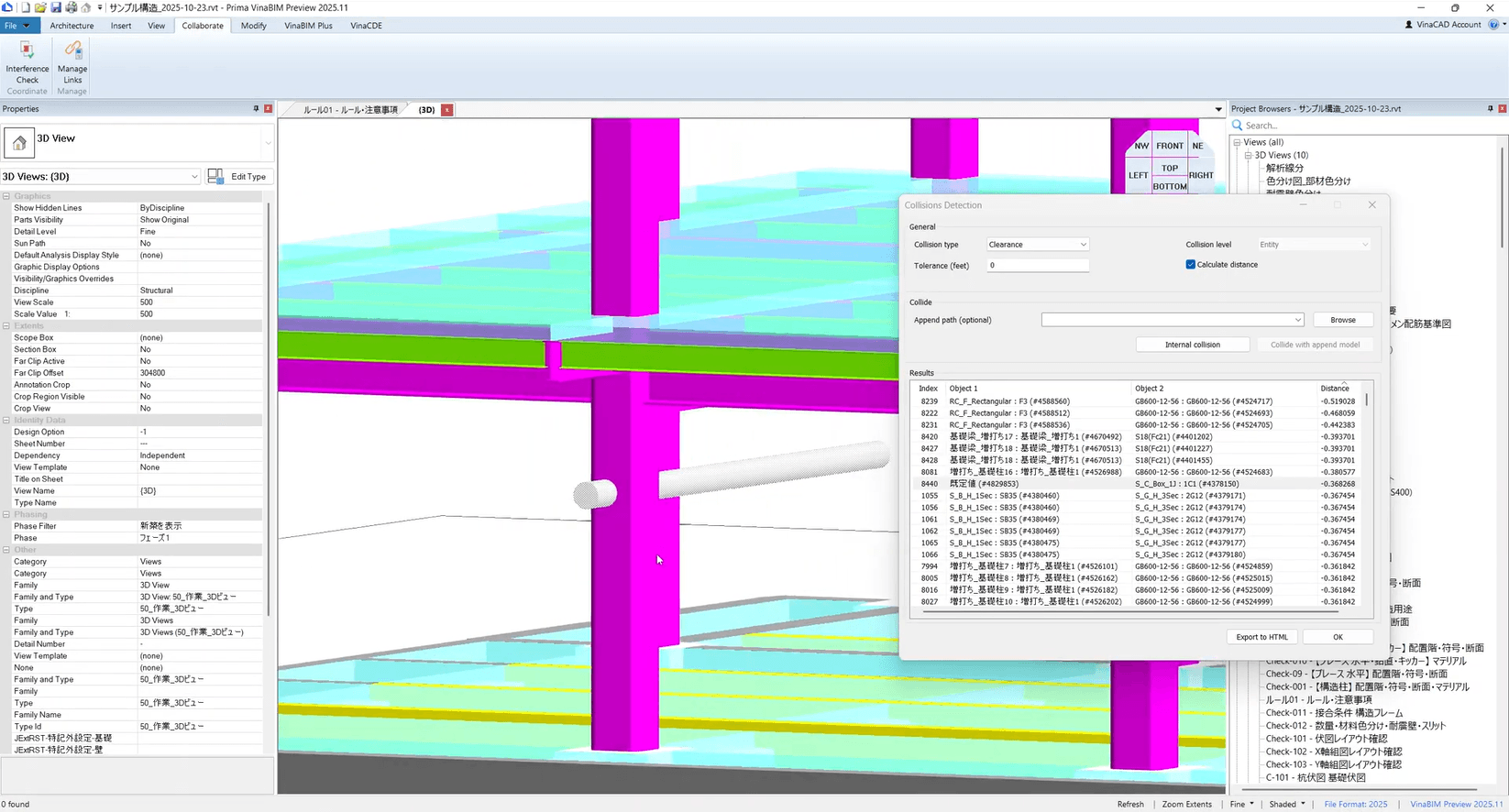
One of the most critical aspects of BIM coordination is clash detection, which helps identify potential conflicts between different disciplines before construction begins.
With VinaBIM, this process is significantly simplified and more efficient. The software allows users to:
Instead of manually reviewing models or waiting for coordination cycles, users can proactively identify and address conflicts early in the workflow. This helps minimize design errors, reduce rework, and significantly lower construction risks before execution on site.
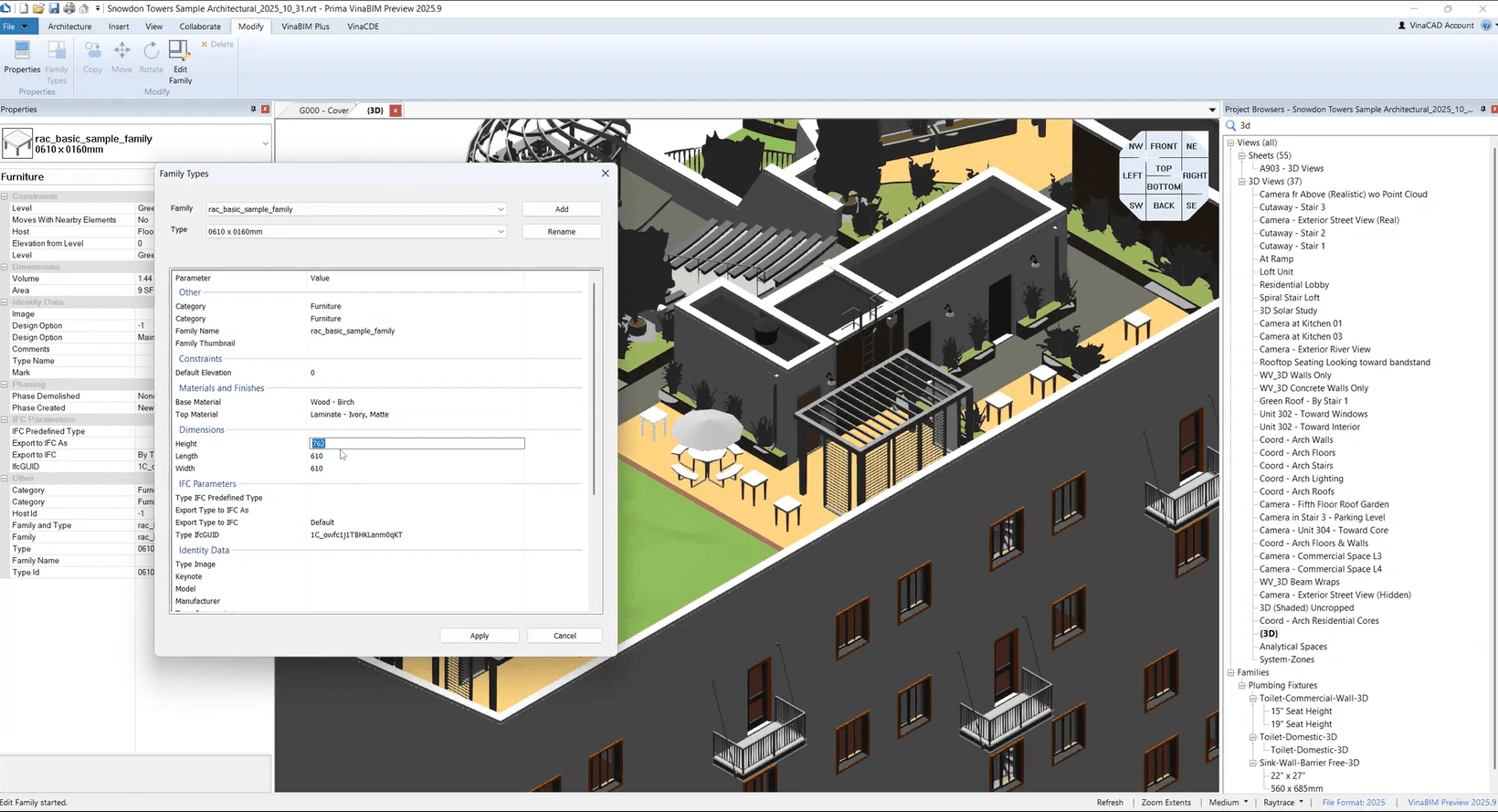
One of the key capabilities of VinaBIM is the ability to edit Type Parameters directly within the model, without requiring users to open the file in Autodesk Revit.
Instead of going through complex authoring workflows, users can make quick adjustments right on the model, including:
This capability allows teams to update model data quickly and maintain consistency across the project.
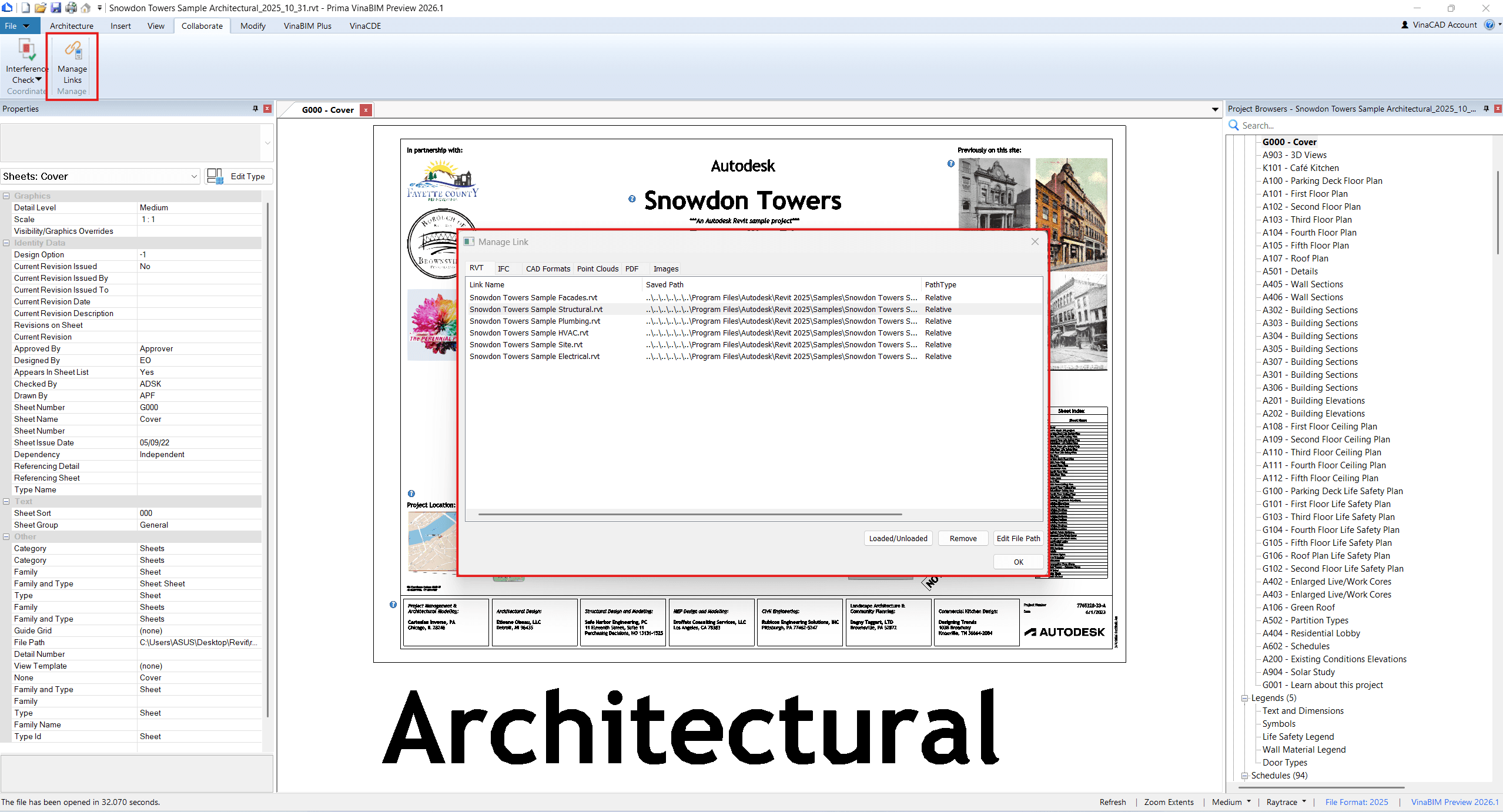
In BIM projects, a single model is often composed of multiple linked files from different disciplines, such as architecture, structure, and MEP. Managing these links effectively is essential to ensure consistency and coordination across the project.
VinaBIM provides built-in tools to:
By giving users better control over linked data, VinaBIM helps ensure that all disciplines are working with the most up-to-date information. This makes coordination more transparent, reduces confusion between teams, and improves overall control of the BIM workflow.
VinaBIM supports exporting models into a wide range of commonly used formats, allowing BIM data to be utilized across different scenarios.
Specifically, users can export models to formats such as: SVG, DAE, GLTF, GLB, JSON, OBJ, IFC, PDF, DWG
Supporting multiple formats goes beyond simple file conversion—it significantly expands how BIM data can be used throughout a project. Depending on the purpose, users can choose the most suitable format to:
As a result, BIM data is no longer confined to a single software environment, but can be used more flexibly to support various needs across the project lifecycle.
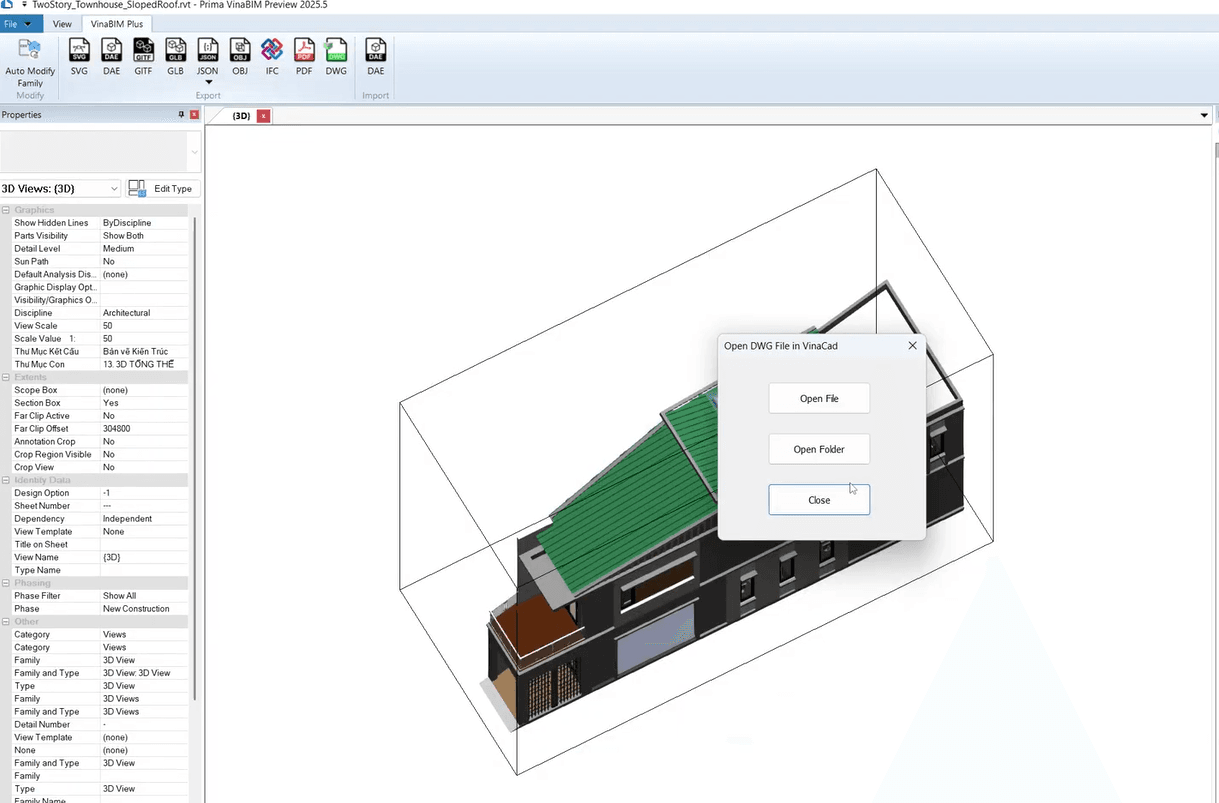
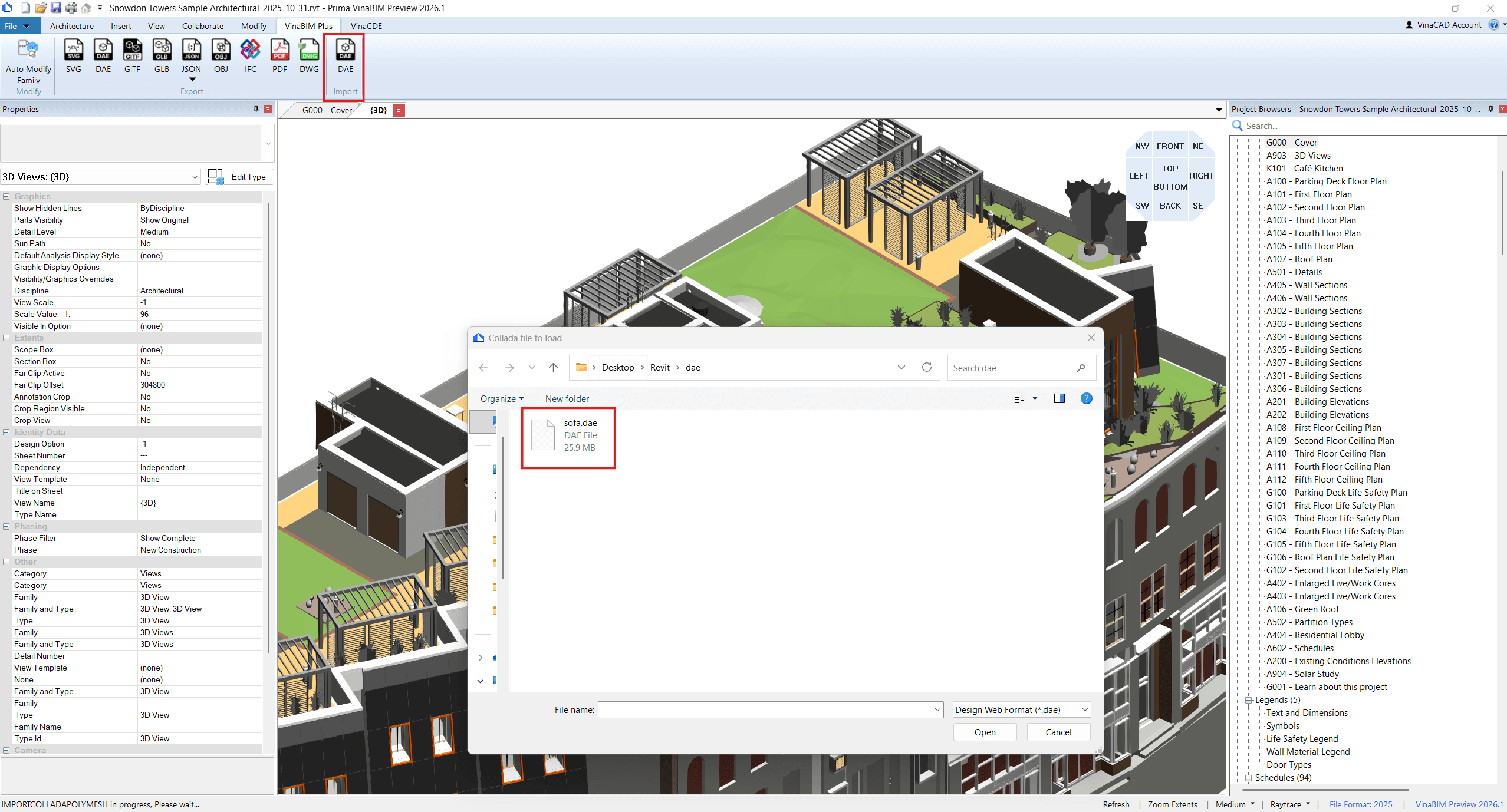
In addition to export capabilities, VinaBIM also supports importing 3D models from DAE (Collada) files, allowing users to bring external data into the BIM environment.
With this feature, users can:
This helps teams integrate data from different sources and work more flexibly within a single workflow.
From the features above, it is clear that VinaBIM is built around a focused objective: Simplifying how teams work with Revit files in BIM projects
In practice, this brings several tangible benefits:
By lowering technical barriers and streamlining workflows, VinaBIM helps teams work more efficiently with BIM data, while maintaining better coordination and control across the entire project lifecycle.
Sign Up for a VinaBIM Free Trial
VinaBIM does not replace advanced BIM tools; instead, it serves as a solution that expands accessibility and interaction with Autodesk Revit files within projects.
With features such as clash detection, type editing, link management, and multi-format support, VinaBIM makes BIM coordination more flexible, faster, and better aligned with real-world project needs.
If you are interested in implementing CAD BIM, let the BIMCAD Vietnam team assist you. We provide solutions ranging from strategic consulting and software implementation to training and system operation.