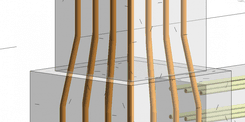
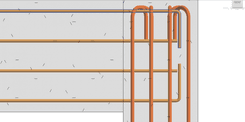
In many BIM projects, the issue isn’t always with the 3D model itself—it’s with the data behind it. Teams can often create a seemingly complete rebar model, but problems arise when it comes to tasks like quantity takeoff, generating BOQs, or validating data.
Common issues include mismatched quantities, missing or incorrect parameters, inconsistent naming conventions, and each team member following their own approach.
The real danger is that a model can appear “correct” visually, while the underlying data is actually “wrong.” This hidden inconsistency can lead to costly errors and delays if not properly managed.

1.No Unified Standards
Lack of unified standards often leads to each engineer using different naming conventions, with no rules in place to control consistency across the model.
2.Manual Data Entry
Assigning parameters by hand, which can easily lead to missing or incorrect information.
3.Lack of Continuous Validation
Errors are only detected when generating the BOQ, by which time it may be too late to correct them efficiently.
4.Dependence on “Key Users”
Experienced individuals control the workflow, and when personnel change, process control can be lost.
When rebar data in Revit is inconsistent or error-prone, teams end up spending significant time correcting mistakes rather than focusing on value-added tasks. The reliability of the BIM data decreases, making it difficult to trust quantities, parameters, and schedules for decision-making. These issues directly impact project timelines and costs, as errors can lead to rework, material wastage, and delays in coordination between disciplines. Over time, such inefficiencies can undermine the overall productivity of the team and the accuracy of project deliverables.
Criteria | Revit (Autodesk) | Excel / External Tools | Tekla(Trimble) | BrightBIM(TGL Solutions) |
|---|---|---|---|---|
Data Consistency | Depends on individual engineers, prone to errors and inconsistencies | Can be standardized in Excel but may diverge from the model | Data is well-controlled thanks to an integrated system | Data is automatically standardized based on rules directly within the model |
Level of Automation | Mainly manual data entry and checks | Can assist in data processing but not automated within BIM | Strong automation across the entire detailing workflow | Automatically assigns parameters, naming, and rules when creating the model |
Real-Time Control | Almost none, errors are only detected during review | No real-time control, depends on export/import | Can monitor during modeling | Checks and warns of errors immediately while working |
BOQ Reliability | Prone to errors due to missing or incorrect input data | Requires multiple cross-checks between Excel and model | Quantities are highly accurate | Quantities are consistent and reliable as data is controlled from the start |
Suitability for Revit Teams | Suitable but low efficiency for large projects | Only partially supports workflow, not a main solution | Not suitable if the team doesn’t use Tekla | Fully suitable as it runs directly within Revit |
Project Scalability | Difficult to scale due to lack of unified standards | Hard to scale due to fragmented workflow | Good scalability but high cost and training needed | Easy to scale thanks to standardized rules and templates |
Among all the methods, the biggest difference doesn’t lie in the tool itself—but in whether the data is controlled from the very beginning.
Instead of fixing errors after they occur, the new approach is to standardize and control data from the moment the model is created.
This includes:
The goal is to ensure that incorrect data never exists within the model.

1. Rule-Based Data Standardization
BrightBIM applies rules across all rebar data to ensure consistency from the start. Naming conventions follow project standards, and parameters are automatically assigned to each element. This eliminates dependence on individual engineers’ habits, ensuring a unified approach across the team and reducing the risk of human error.
2. Automated Data Entry
Manual input of rebar parameters is no longer required. BrightBIM automatically populates all necessary information, including diameter, spacing, cover, and other project-specific rules. By reducing repetitive manual work, the tool significantly minimizes the chance of mistakes and speeds up the workflow.
3. Real-Time Validation & Error Alerts
Errors are detected as soon as they occur. BrightBIM can identify missing parameters, inconsistencies, or invalid data immediately, providing warnings that allow engineers to correct issues on the spot rather than after the fact. This proactive approach prevents incorrect data from propagating through the model.
4. Ready-to-Use Data for BOQ
All quantities and rebar information are standardized and accurate from the start, meaning schedules and BOQs can be generated directly from the model without additional adjustments. This not only saves time but also improves the reliability of quantity takeoffs and cost estimation, giving project teams more confidence in their data.
With BrightBIM, errors are managed as they happen, data is consistent, and the model is always ready for accurate reporting and decision-making.

Learn more : Introduction to BrightBIM
While automation speeds up the workflow and helps engineers complete tasks faster, it is data standardization that ensures accuracy and reliability from the very beginning. In BIM projects, a fast but inconsistent model can lead to costly errors, rework, and delays. On the other hand, a model built with standardized rules, consistent parameters, and validated data allows teams to trust their outputs, generate reliable BOQs, and coordinate efficiently across disciplines.
Are you facing challenges in implementing BIM, Revit, CDE, or any technology and technical aspects related to BIM for your project?
Don’t worry — BIMCAD Vietnam is always ready to support you!