VinaCAD - Vietnamese CAD Standards for Professional Workflows

VinaCAD - Vietnamese CAD Standards for Professional Workflows

BIMCAD Journalist 07/04/2026

For many years, Vietnam’s construction industry has relied almost entirely on foreign software. AutoCAD, BricsCAD, and other international platforms have become the default standards in most engineering offices.

A “Make in Vietnam” CAD solution powerful enough to change that habit?
Until recently, that was almost unimaginable.

VinaCAD — a licensed CAD platform developed by Vietnamese engineers — is gradually shaping a new way of working.
It is not just a replacement tool. It is a solution built to match how Vietnamese engineers actually work.

From 2D drafting and drawing management to data coordination and team collaboration —
everything is beginning to change.

layout vinacad.jpg

What is VinaCAD?


VinaCAD is a CAD software developed by a team of Vietnamese engineers, aiming to establish a new CAD working standard — simpler, more modern, and better suited to Vietnam’s construction industry.

More than just a drafting tool, VinaCAD is a platform that enables teams to:

  • Deliver fast and accurate 2D drawings
  • Store and synchronize data on the cloud
  • Share and collaborate seamlessly across project stakeholders
  • Integrate directly with the VCC BIM ecosystem

Currently, VinaCAD has achieved:

  • 40,000+ downloads
  • 14,000+ individual and enterprise users
vinacad thống kê.png

Key Features


1. Familiar 2D CAD

VinaCAD retains what engineers are most familiar with:

  • Commands similar to AutoCAD
  • Compatibility with DWG/DXF and other popular CAD platforms
  • Support for LISP (VinaLISP)

At the same time, it is further optimized for real-world implementation in Vietnam:

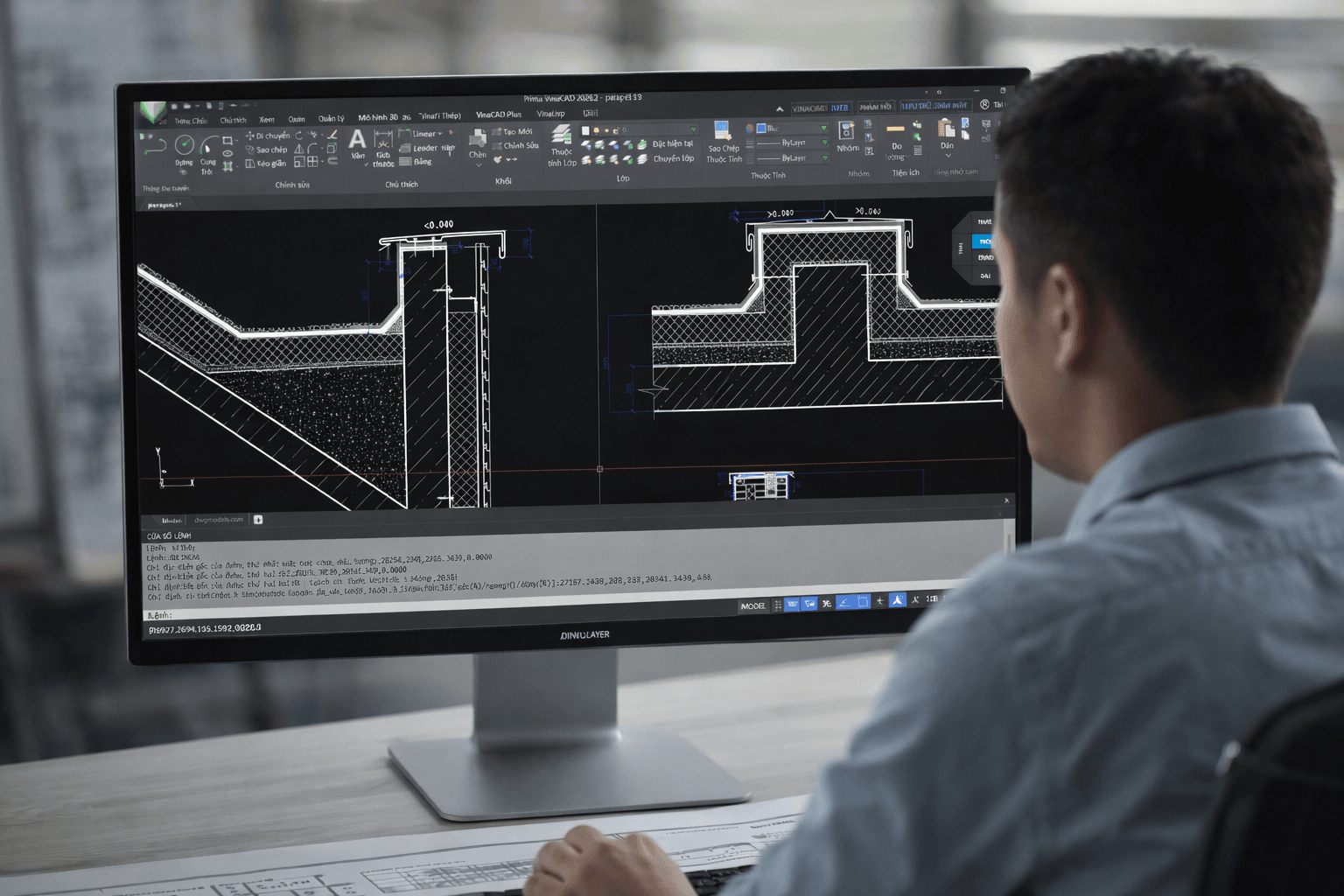
  • Multi-window 2D/3D views for working from multiple perspectives simultaneously
  • Cutting Plane and Box View for quick drawing inspection
  • Lightweight performance, fast file opening — even with large, multi-layer drawings

This allows engineers to start immediately without relearning, while still achieving higher efficiency in their daily work.
2. AutoTile – Automating One of the Most Time-Consuming Tasks

One of the most manual and repetitive tasks in CAD work is: Splitting drawings for printing and layout setup

VinaCAD addresses this with AutoTile:

  • Automatically divides drawings into standard print frames
  • Arranges layouts logically based on scale
  • Reduces manual operations and repetitive setup

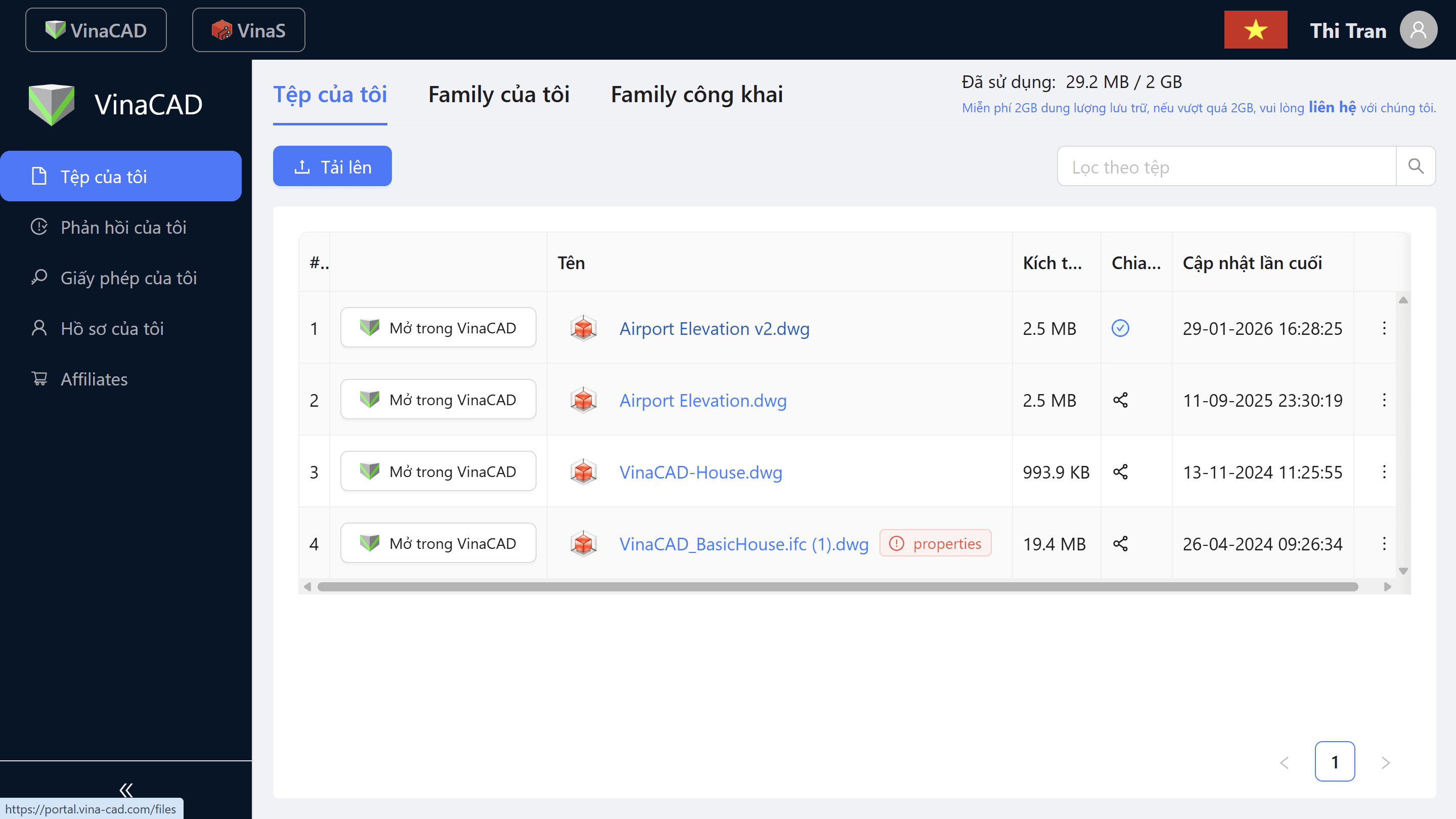
3. Cloud Storage – Solving the “Where Is the File?” Problem

Instead of storing files scattered across personal computers, VinaCAD allows teams to:

  • Store drawings securely on the cloud
  • Automatically synchronize data across devices
  • Always access the latest version of each file

This completely eliminates common issues such as:

  • Opening outdated files by mistake
  • Sending files back and forth via email or messaging apps
  • Risk of data loss

And more importantly: It creates a solid foundation for true team collaboration.
4. Web View – View Drawings Without Installing CAD

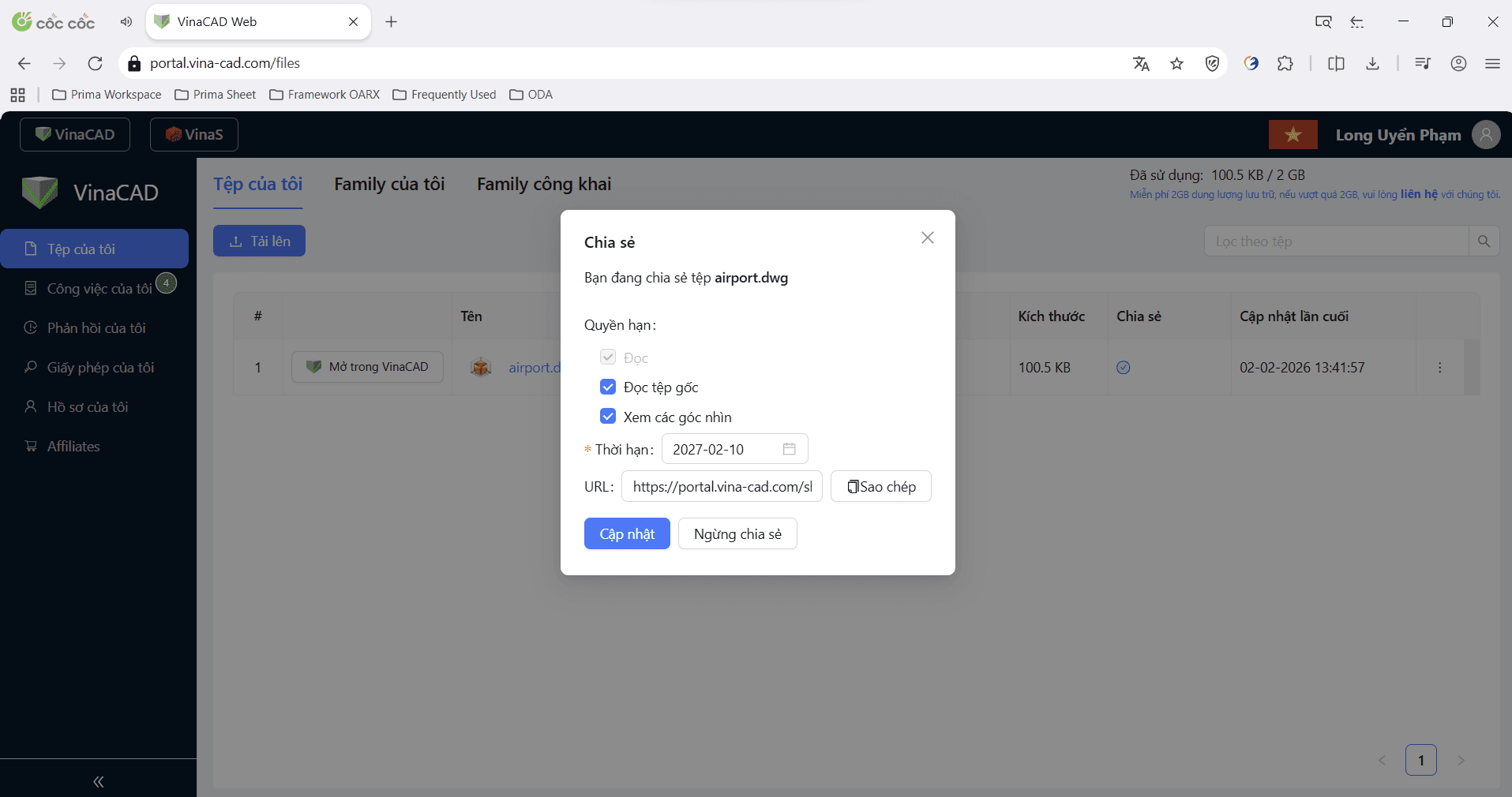
One of the biggest differences of VinaCAD is: You can view drawings without needing CAD software

VinaCAD Web allows users to:

  • Open drawings directly in a web browser
  • Access files without installing any software
  • Share drawings easily via a simple link

This is especially valuable for:

  • Project managers
  • Investors/clients
  • Construction teams

Everyone can instantly access and review drawings without requiring CAD expertise, making communication faster and more accessible across the entire project.
5. Collaboration

VinaCAD goes beyond simply “sharing files” — it enables a more connected and interactive workflow:

  • Review drawings directly in real time
  • Add comments and provide feedback instantly
  • Access drawings on mobile and tablet devices
  • Perform basic edits right on-site

Drawings are no longer confined to the office — they move with the project.

6. Part of the VCC Ecosystem

VinaCAD does not operate independently — it serves as a central hub connecting the entire workflow:

  • Receives data from VinaDesign (concept stage)
  • Transfers to TakaCAD / BrightBIM (detailed design & 3D modeling)
  • Integrates with VinaQ (quantity takeoff)
  • Synchronizes with VinaCDE (data management)

This creates a seamless workflow from the very beginning to the end of the project lifecycle.

VCC ecosystem 1.png

Benefits of Using VinaCAD


1. Faster Performance

VinaCAD is designed to significantly improve speed in daily drafting and project workflows:

  • Fast file opening, even with large and complex drawings
  • Smooth performance with multi-layer files, reducing lag during editing
  • AutoTile minimizes repetitive manual work when setting up layouts for printing
  • Less time spent switching between tools or fixing formatting issues

Engineers can complete tasks more quickly, focus on design quality, and meet tight project deadlines with greater efficiency.

2. Fewer Errors

  • No more confusion between different file versions
  • Data is always synchronized across the team
  • Reduced risk of missing or outdated information

More accurate drawings and fewer costly mistakes during implementation.

3. Easier Collaboration

  • Share links instead of sending files back and forth
  • Access drawings anytime, anywhere
  • Enable smoother communication between stakeholders

Faster coordination and better alignment across teams.

4. Standardized Workflow

  • Establish a consistent process from CAD → BIM → construction
  • Ensure data continuity across different project stages
  • Improve overall project organization and control

A more professional, scalable, and efficient workflow from design to execution.
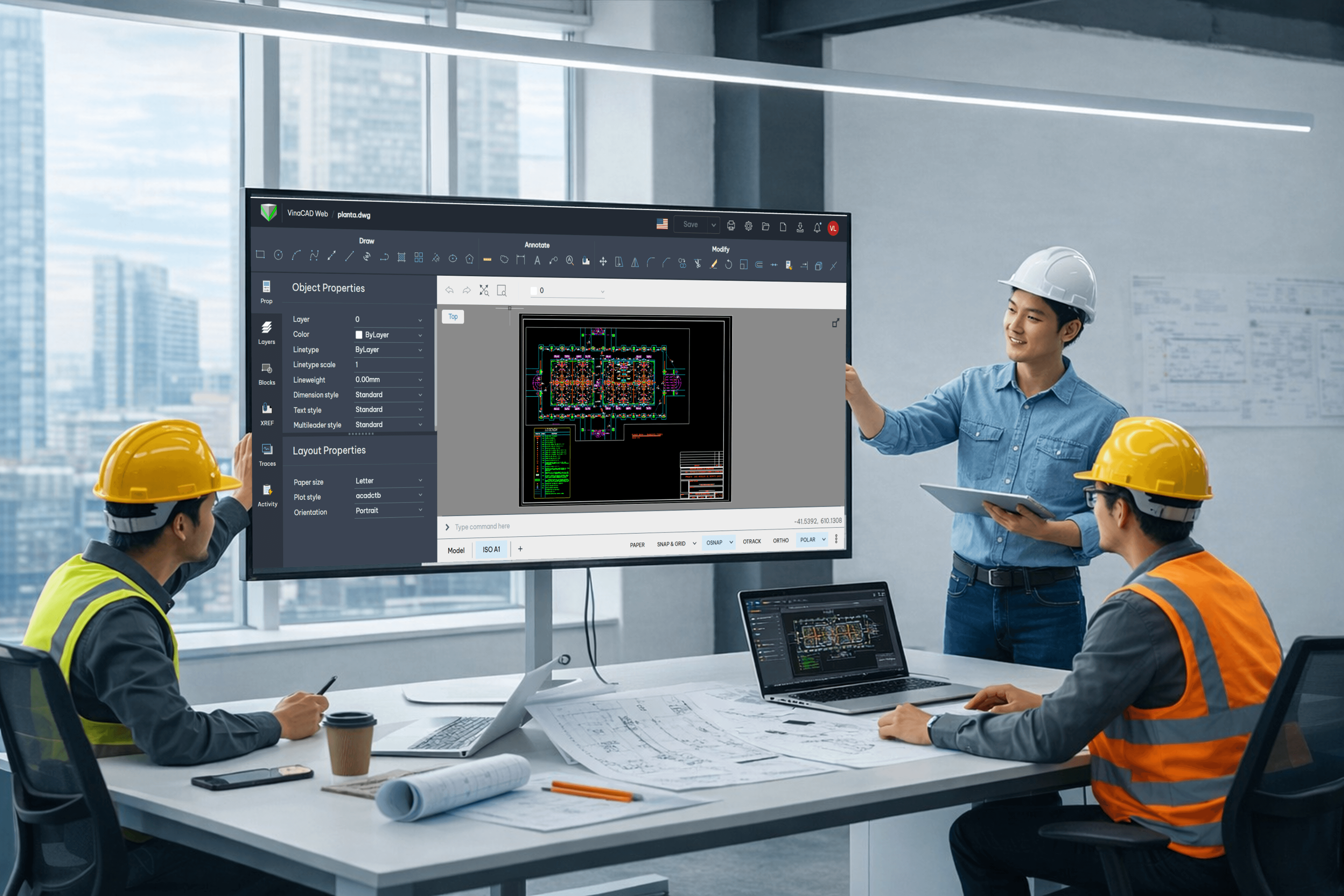
image feature

Conclusion


VinaCAD is not just a CAD tool—it marks the shift from drawing to working on connected, up-to-date data. Instead of fragmented files, teams operate on a unified source of information, improving accuracy and coordination.

As the industry moves toward BIM and digitalization, adopting VinaCAD is no longer optional, but a necessary step to work faster, smarter, and more reliably.

If you are interested in implementing CAD BIM, let the BIMCAD Vietnam team assist you. We provide solutions ranging from strategic consulting and software implementation to training and system operation.

CONTACT US NOW → 

Tags:
Share:
Get a free consultation
contact us
Fill out the form and contact us today for an absolutely free consultation of anything related to BIM/CAD.
footer
logo
text-logo
Quality & Information Security
are at the core of our priorities.
iso9001
iso27001
awardsaokhue
Contact
Email:sales@tgl-sol.com
Hotline:(+84) 377 359 728
Ho Chi Minh Office:42/1 Ung Van Khiem Street, Ward 25, Binh Thanh District, Ho Chi Minh
Da Nang Office:01 Tran Van Ky Street, Hoa Khanh Nam Ward, Lien Chieu District, Da Nang
Headquarter:3F Tojikyo Building, 16-2 Kodenmacho, Nihonbashi, Chuo-ku, Tokyo, Japan
Follow Us
BIM/CAD © 2023 All Rights Reserved
Hey 👋 I'm right here to help you, so just click the chat button.